Specifications:
-- Product material: Metal and ABS
-- Product size: 107*106*27mm
-- Product weight: 100g
-- Product color: Black
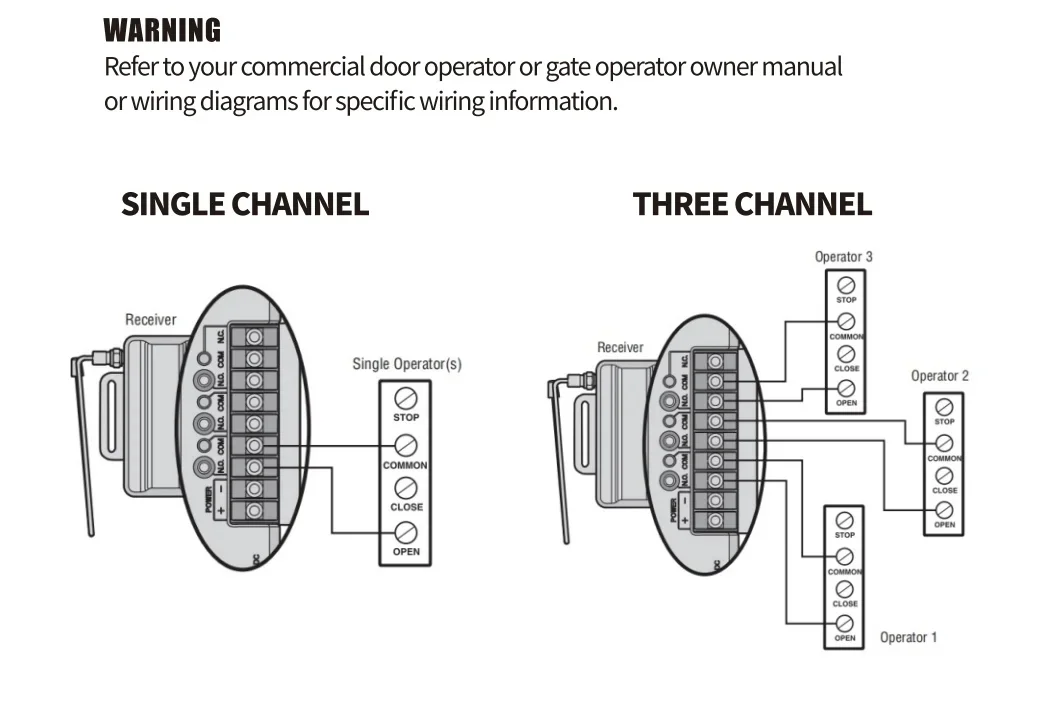
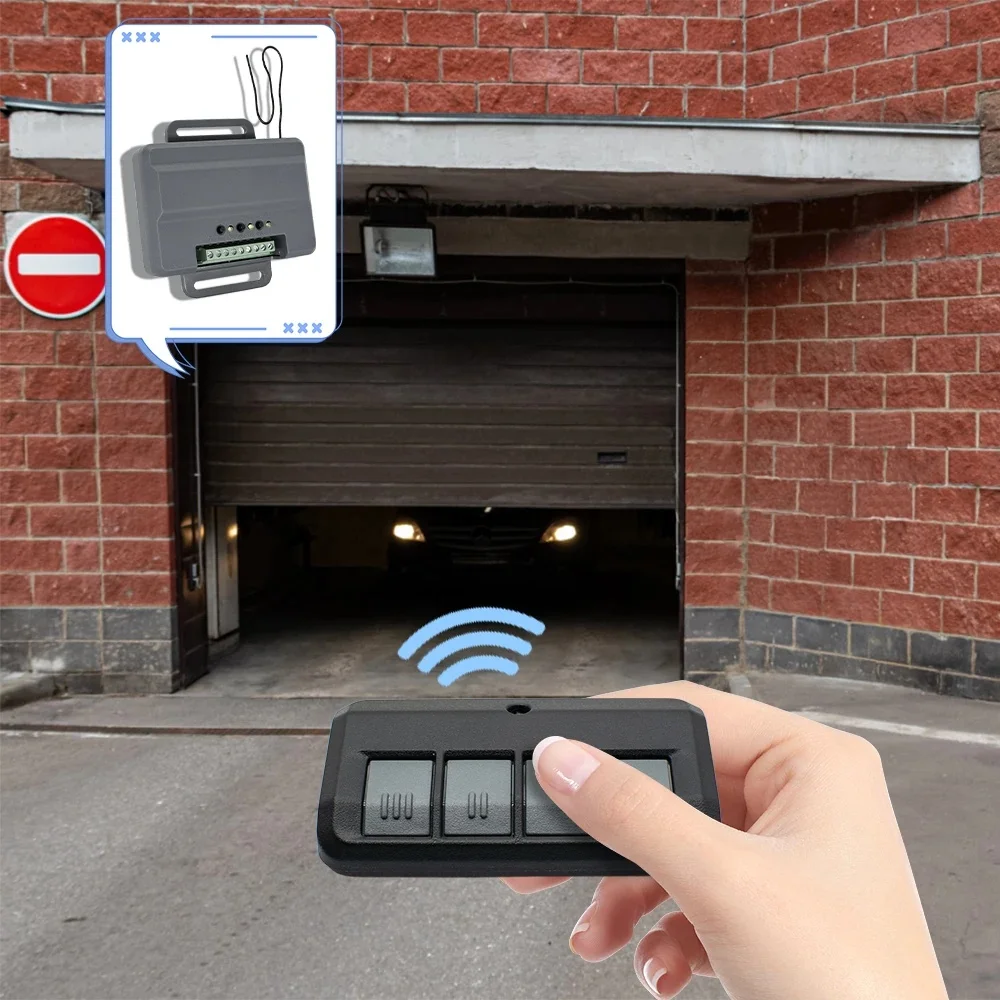
-- Installation: wireless
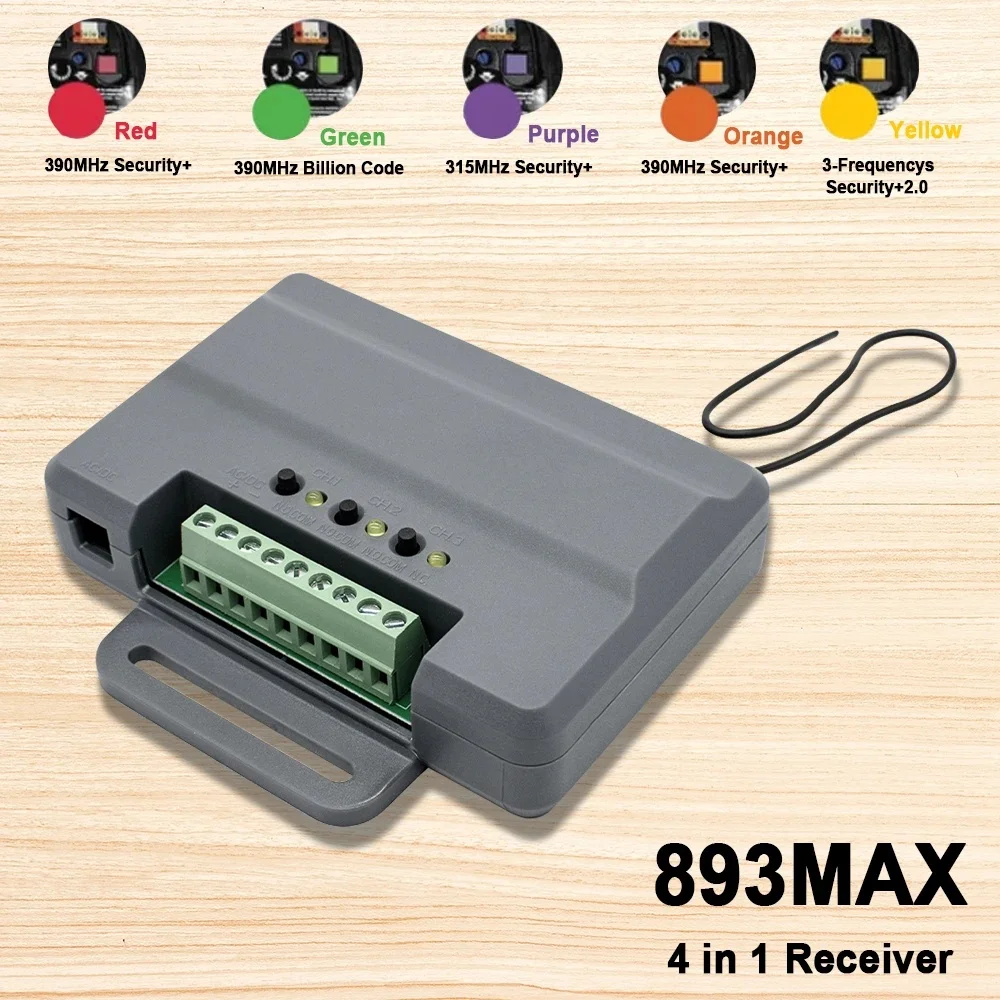
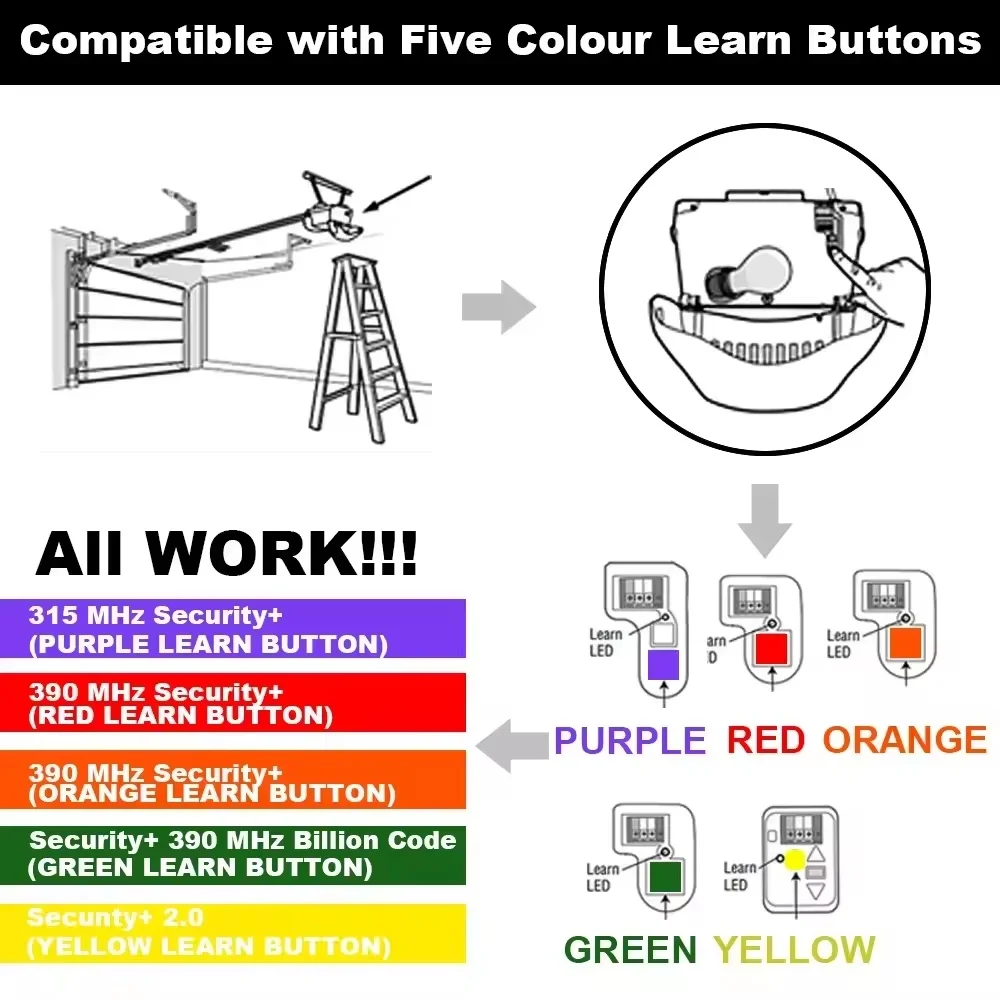
-- Frequency : 315/390mhz rolling code
-- Power 9-30V AC or 9-34V DC,50mA,60HZ
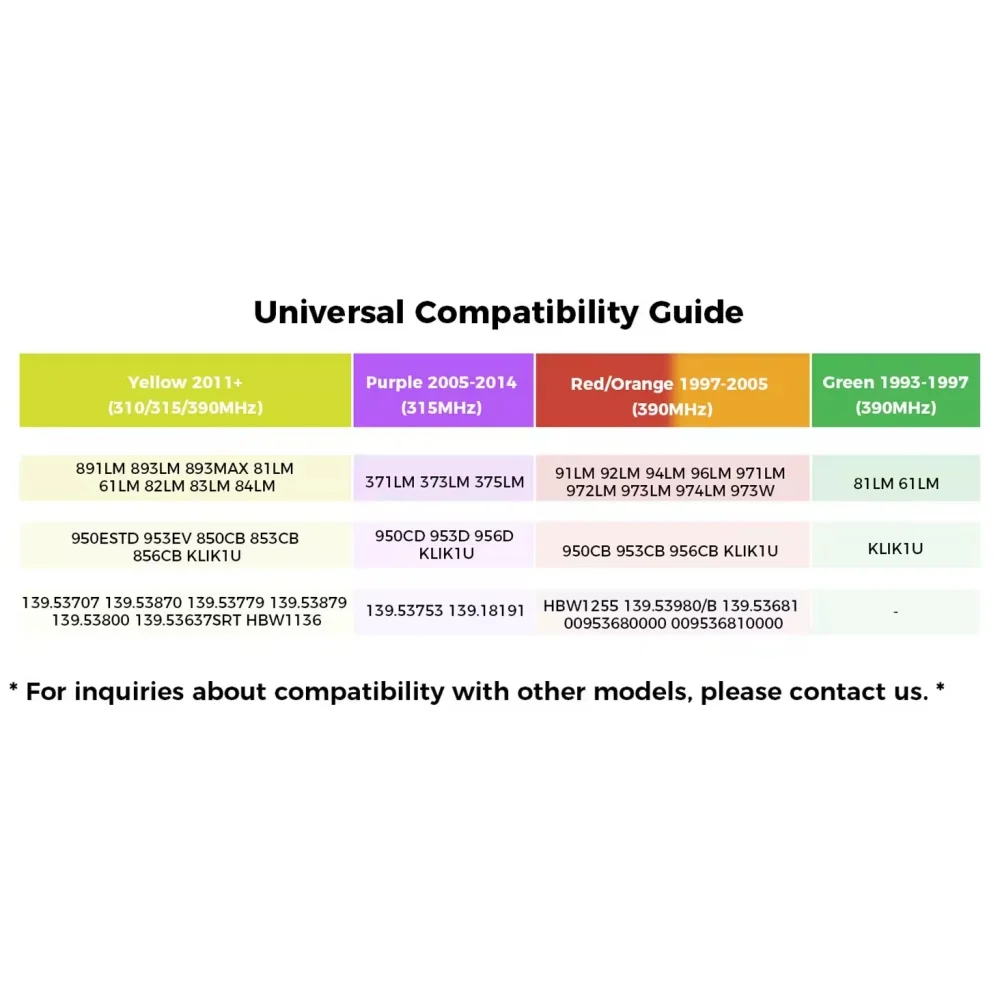
Transmitter Compatible List
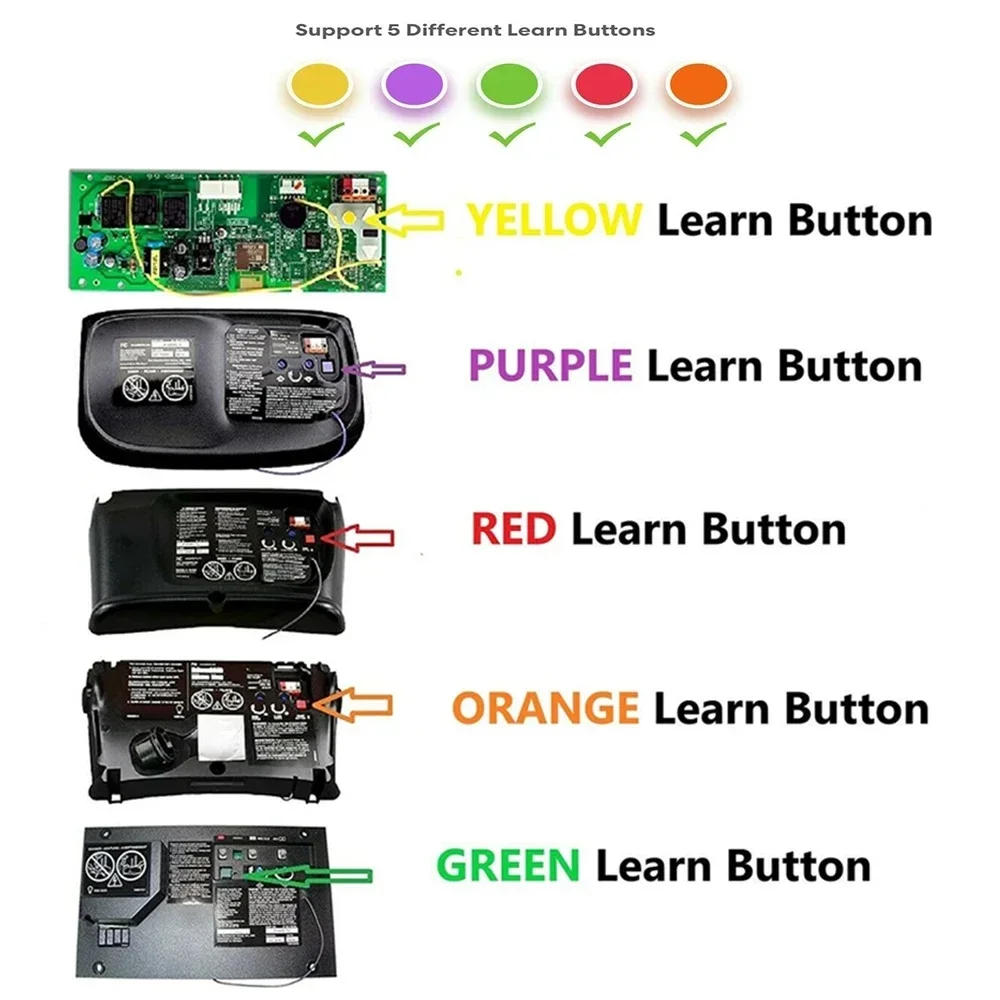
PURPLE learn button
398LM,378LM,377LM,376LM,374LM,373LM,372LM,,371LM,370LM,365LM,355LM,377LMC,
374LMC,373LMC,372LMC,371LMC,373W,373P.940D,950D,953D,956D,940CD,950CD,953CD,
956CD,41A6318.139.18191, 139.18192, 139.53752, 139.53753, 139.53754
1345/1355, 1356, 3220, 3240, 3265, 3270, 3280, 3800, 3500, 3850, 3585, 3595
RED or ORANGE learn button
91LM,92LM,94LM,96LM,970LM,971LM,972LM,973LM,973W,974LM,950CB,953CB,956CB,
139.53680,139.53681,139.53684,00953680000,00953681000,1245R/1255R, 1265R,
2220, 2245/2255, 2265, 2280,2500, 2575, 2585, 2595
YELLOW learn button
891LM, 893LM, 953EV, 953ESTD, myQ950ESTD, 8065, 8155, 8165, 8355, 8360, 8365-267, 8500, 8550, 8557, 8587
GREEN learn button
81LM,82LM,83LM,84LM,850CB,853CB,856CB,139.53879,139.53859,1245, 1255,1270, 1280
Universal Compatibility Guide
PROGRAMMING
PROGRAM A SINGLE BUTTON REMOTE CONTROL
1 Press and release the Learn button for the selected channel on the
receiver.The corresponding LED will glow steadily for 30 seconds
2 Within 30 seconds press and hold the button on the remote control
that you wish to program to the receiver.
3 Release the remote control button when theL ED on the receiver
blinks, then turns off.Programming is complete.
Repeat the steps above for each remote control you would like to
program.
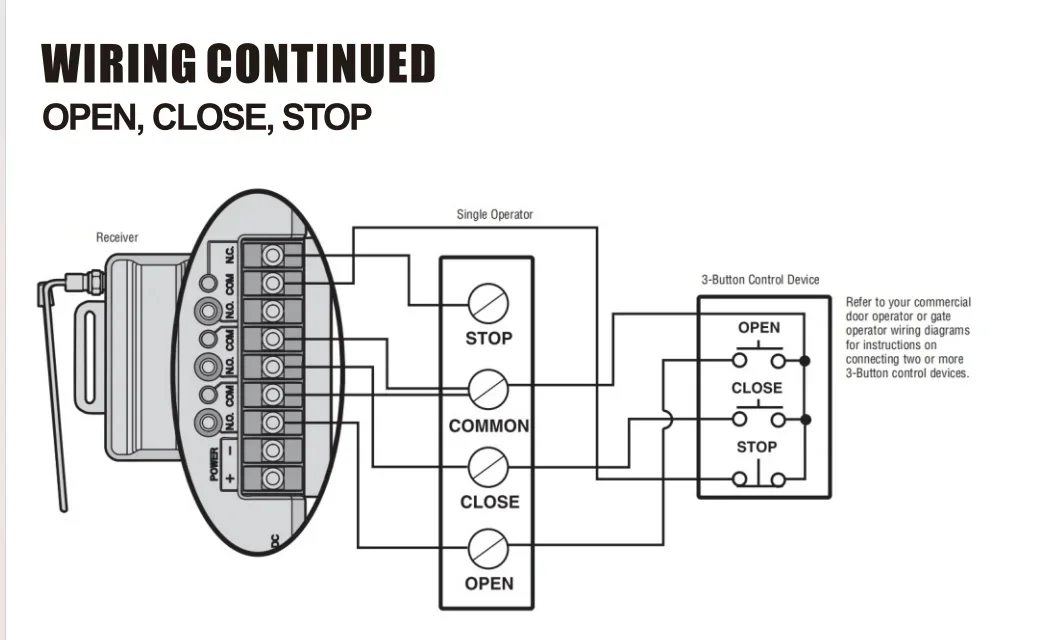
PROGRAM A 3-BUTTON REMOTE CONTROL AS OPEN, CLOSE,
AND STOP
1 Press and release the CH1 Learn button on the receiver.
2 Within 30 seconds press the desired OPEN button on the remote
control.
3 Press and release the CH2 L earn button on the receiver.
4 Within 30 seconds press the desired CL OSE button on the remote
control.
5 Press and release the CH3 Learn button on the receiver.
6 Within 30 seconds press the desired STOP button on the remote
control.
NOTE: lf a remote control button is not pressed within 30 seconds, the
LED next to the selected Learn button will turn OFF.In that case, repeat
the programming.
TO ERASE THE MEMORY
1 Press and hold the Learn button for the channel you want to erase.
Release the button when the corresponding LED turns off; the memory
has been erased.